

The Dashboard can either be used as part of the Dashboard panel in the left hand menu, or as part of the Scene UI (what widgets are available within each Scene).
When they are available depends on how the show has been set up. To find out more about creating Dashboard widgets, see What does the Dashboard do?
Tick box feedback
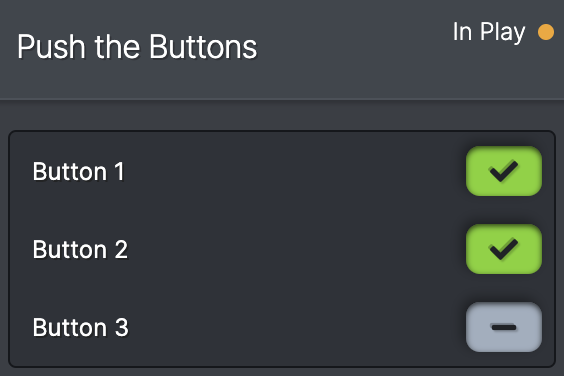
Shows a green tick or a grey line. Can appear with labels on the left or blank.
They can be be showing the status of an input, output or a Variable, depending on what the programmer has chosen to present.
They are an easy way to check the status of a prop at a glance. e.g. A jigsaw puzzle with 9 pieces, you can see exactly which ones are missing, and give an appropriate clue.
Number box feedback

Shows a number in a box, either in grey or in green. Can appear with labels on the left or blank.
The number only appears green when it shows the target value of that number i.e the "correct" value. e.g. a knock sensor needs to be hit 6 times, therefore a box has been made to show the number of times knock sensor is hit. If a time-out has been put in, the number might reset to zero.
Number boxes can display numbers for many different reasons - it might be the number of hints given, the number of audience members, the difficulty rating or player score.
Number box entry

Allows the operator to enter a number. e.g. audience size, or player rating. Can appear with labels on the left or blank.
These are connected to Variables in the shows Behaviours.
Text box entry

Allows the operator to enter text in order to set a Variable. Can appear with labels on the left or blank.
This can be used if there are more options than a dropdown list is useful for (see below).
Dropdowns

Allows the operator to choose from a list of options. e.g. it could be a difficulty rating or lighting level. Can appear with labels on the left or blank.
A dropdown is connected to a Variable in the shows Behaviours.
Toggles

Allows the operator to change a true/false function. It appears either red or green. Can appear with labels on the left or blank. They are connected to a Variable in the shows Behaviours.
They look the same as output toggles in the Overrides panel.
Buttons

Buttons are clickable boxes which are connected to a certain action. They allow the operator to activate or change something manually within the scene. e.g. puffing a smoke machine, or playing a sound.
They can appear with labels to the left, and/or with a label inside the box. They can also have icons in the box, or just an icon on its own.