
Analog Output channels are used to vary power to a device (e.g. to dim LEDs or incandescent lights) They can only be used with the DC Master
You are able to vary the intensity as part of your Update channel actions
Adding

- In Channels click 'Add channel' and select 'Analog Output'
- Enter a name that you would like to call it
- You will be presented with the channel view
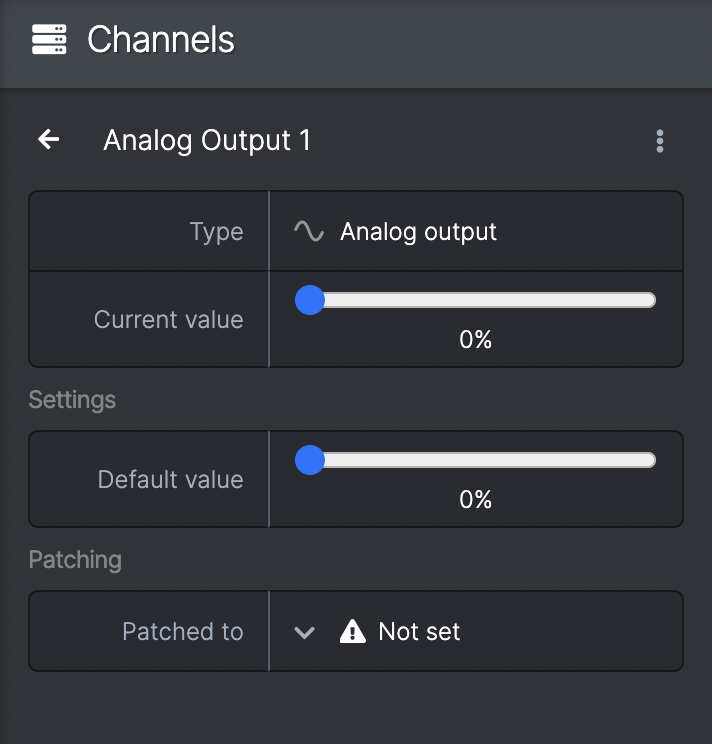
Current value
- Shows the current state of the channel with a slider between 0-100%
- You can manipulate this slider to change the intensity of power to the output
- N.B. this feature is not intended as a way to lower the voltage of the output channel so you can run different voltage devices from the same DC Master e.g. if you wanted to run a 12v device from a DC Master plugged into a 24v PSU. You risk permanent damage to your devices if used in this way
- This value will show the current status of a virtual or real life (patched to hardware) channel
Settings
- Default value - allows you to change the default position of the output. This will be the status of the output at in the Reset state and at the beginning of your show
Patching
- From here you can patch the channel to any available DC Master channels
- If it appears blank you need to create a box in devices in order to patch (see Adding boxes)
- You can also patch Analog Output channels in the device view (see Patching channels to the DC Master)